PiP Browser: Video Player1.1
Publisher Description


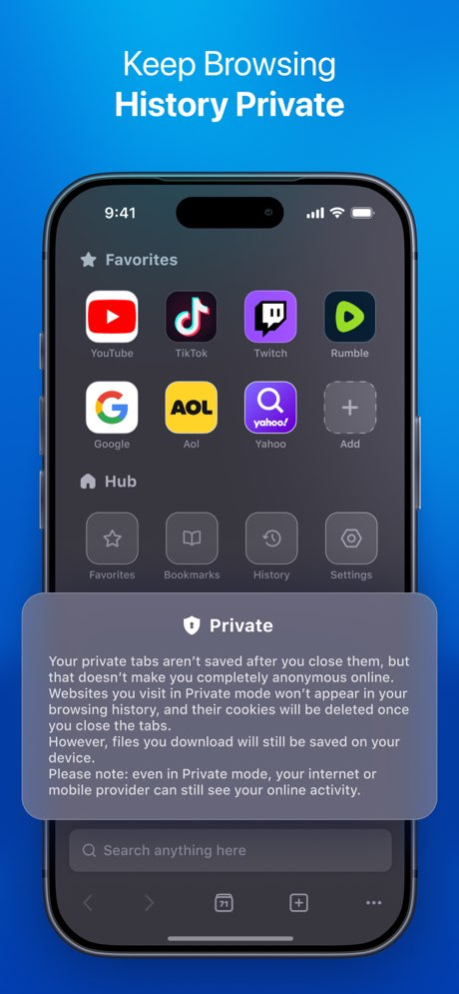
PiP Browser: Video Player is a simple web browser made for watching video without limits.
It works like a normal browser. Tabs, history, bookmarks, and incognito mode are all there.
But it adds a few things that make a big difference.
- Picture-in-Picture mode lets you keep videos playing in a small floating window while you use other apps.
- Background playback lets video or audio keep playing when the app is minimized, or the phone is locked. This works on most websites and streaming services, including YouTube.
- Ad blocking works on many sites. YouTube ads are blocked very reliably, making playback much cleaner.
PiP: VideoBrowser is for people who watch a lot of video and want more control, fewer ads, and background playback that actually works.
- Minor Bug Fix
About PiP Browser: Video Player
The company that develops PiP Browser: Video Player is Must Have Apps S.R.L.. The latest version released by its developer is 1.1.
To install PiP Browser: Video Player on your iOS device, just click the green Continue To App button above to start the installation process. The app is listed on our website since 2026-03-05 and was downloaded 127 times. We have already checked if the download link is safe, however for your own protection we recommend that you scan the downloaded app with your antivirus. Your antivirus may detect the PiP Browser: Video Player as malware if the download link is broken.
How to install PiP Browser: Video Player on your iOS device:
- Click on the Continue To App button on our website. This will redirect you to the App Store.
- Once the PiP Browser: Video Player is shown in the iTunes listing of your iOS device, you can start its download and installation. Tap on the GET button to the right of the app to start downloading it.
- If you are not logged-in the iOS appstore app, you'll be prompted for your your Apple ID and/or password.
- After PiP Browser: Video Player is downloaded, you'll see an INSTALL button to the right. Tap on it to start the actual installation of the iOS app.
- Once installation is finished you can tap on the OPEN button to start it. Its icon will also be added to your device home screen.
Program Details
System requirements
Download information
Pricing
Version History
version 1.1
posted on 2026-03-05
- Minor Bug Fix
